Staff Leaving? An Offboarding Security Checklist to Close Every Door
When someone leaves your business, their logins often stay behind. This checklist helps you close every account, collect every device and protect your data on the last day.
What should an employee offboarding security checklist include?
An employee offboarding security checklist lists every step to remove a leaving staff member's access and protect business data. It covers email, WhatsApp Business, website and hosting logins, cloud drives, social media pages, payment dashboards, shared passwords and company devices. Each step has an owner and is done on or before the last working day.
Key takeaways
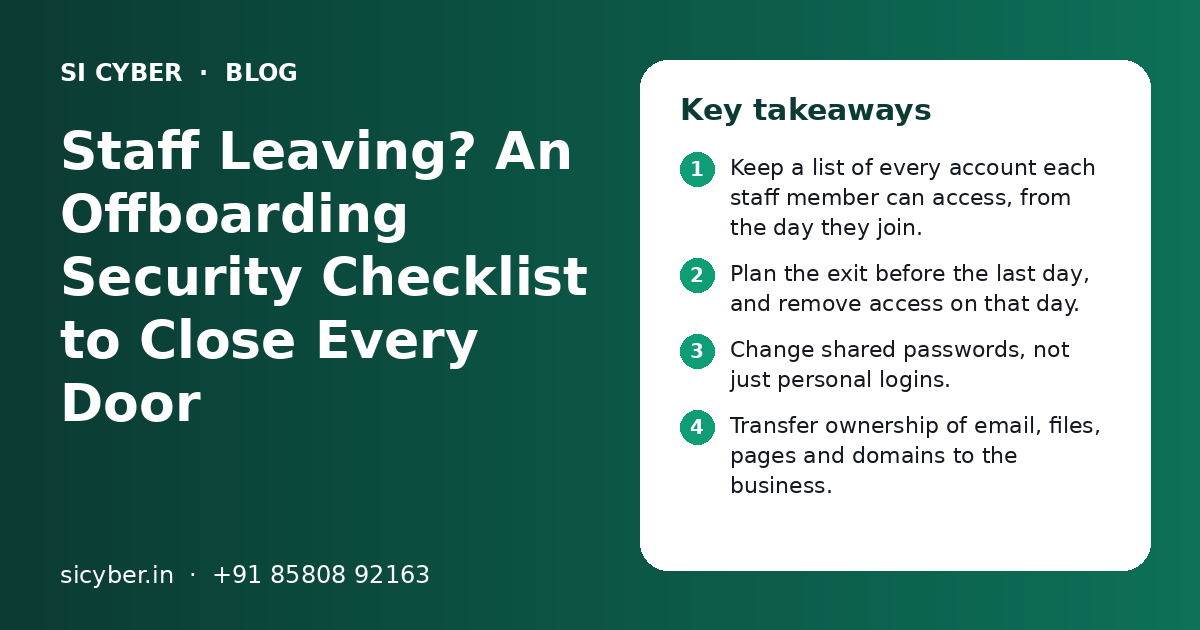
- Keep a list of every account each staff member can access, from the day they join.
- Plan the exit before the last day, and remove access on that day.
- Change shared passwords, not just personal logins.
- Transfer ownership of email, files, pages and domains to the business.
- Collect laptops, phones and keys, and check for data copied out.
- Review the checklist after every exit and fix any gaps you find.
Why does a small business need an employee offboarding security checklist?
A small business needs an employee offboarding security checklist because old logins are an easy way in. Without a list, some access is always forgotten.
In a small office, one person often handles many things. The accounts person may know the bank login. The marketing executive may run the Facebook page. The office manager may hold the hosting password. When that person leaves, all of this access goes with them unless someone takes it back.
Most people leave on good terms and never misuse anything. But their phone can be lost. Their personal email can be hacked. A rare exit goes badly. In each case, an account that should have been closed becomes a risk to your business.
A written checklist turns this into a calm, routine task. It also helps when you work with a security team for a security audit, because old accounts are one of the first things an audit looks for.
What should you do before the employee's last day?
Before the last day, list every account the person uses, plan the handover and decide who will take over each account.
- 1
Make an access list
Write down every system, app and account the person can open. Ask them to help you complete it.
- 2
Plan the work handover
Decide who takes over each client, task and file. Ask the person to share notes and passwords through the business password manager.
- 3
Move ownership
Make sure the business, not the person, is the owner of email, drives, pages, ad accounts and domains.
- 4
Check recent activity
Look for large downloads, forwarding rules or files shared outside the company in recent weeks.
- 5
Set the exit time
Agree a time on the last day when all access will be removed, and tell the owner of each step.
If the exit is sudden or not friendly, do not wait. Remove access first, then plan the handover with the person's manager.
Which accounts must you close or change when staff leave?
You must close or change email, WhatsApp Business, website and hosting, cloud storage, social media, ad accounts, payment and banking dashboards, and any shared logins.
| Account type | What to do | Common miss |
|---|---|---|
| Work email (Google Workspace or Microsoft 365) | Suspend the user, sign out all devices, set forwarding to a manager | Old forwarding rules to a personal email |
| WhatsApp Business | Remove linked devices and change the number's admin access | Business number still logged in on the old phone |
| Website admin (WordPress, Shopify and others) | Delete or downgrade the user, change admin passwords | Extra admin accounts nobody remembers creating |
| Hosting, domain and DNS | Change passwords and remove the user from the panel | Domain registered in the employee's own name |
| Cloud drives and shared folders | Transfer file ownership, remove sharing links | Public links that anyone can still open |
| Social media pages | Remove the person as admin in Meta Business settings | Personal profile still listed as page admin |
| Google Ads and Meta Ads | Remove user access, check billing details | Saved company card on an ad account |
| Payment gateway, UPI and net banking | Remove user IDs, change shared passwords and OTP numbers | OTP still going to the old staff phone |
| CRM, accounting and billing software | Deactivate the user and reassign records | Data exports allowed for all users |
| Wi-Fi, CCTV app and door access | Change Wi-Fi password, remove app users, collect keys and cards | Office Wi-Fi password never changed |
Shared passwords are the biggest gap. If more than one person knew a password, change it when any of them leaves. A business password manager makes this much easier. See our password security policy guide for a simple setup.
How do you handle laptops, phones and other devices?
Collect every company device, check it, back up business data and then wipe it before giving it to someone else. For personal phones, remove business apps and accounts.
- Collect laptops, phones, chargers, pen drives and hard disks owned by the business
- Collect office keys, ID cards and access cards
- Back up business files from the device to the company drive
- Sign the device out of all accounts, then reset it to factory settings
- Remove business email and apps from the person's personal phone
- Remove the person's phone from WhatsApp Web, email and app sessions
- Note the serial number and condition of each device returned
If staff use their own phones for work, set a simple rule now. Business data stays inside business apps, and those apps can be removed when the person leaves. This is much easier to manage than files spread across personal galleries and chats.
For laptops that held client data, ask a technical person to check for unusual copies to pen drives or personal cloud folders before wiping. Our data security service can help set rules for this.
What offboarding security mistakes do small businesses make?
The most common mistakes are forgetting shared passwords, leaving the employee as owner of key accounts and waiting days to remove access.
- Changing the employee's own password but not the shared ones they knew
- Letting an employee register the domain, hosting or ad account in their own name
- Removing access a week after the person leaves, instead of on the last day
- Forgetting email forwarding rules that keep sending mail outside the company
- Leaving OTPs for banking and payment dashboards linked to the old staff phone
- Not checking for extra admin users created on the website
- Keeping no written list, so each exit depends on memory
Email is also linked to other risks. If someone still controls an old mailbox, they can reset passwords for other tools. Strong email settings help too, and our page on SPF, DKIM and DMARC setup explains how to stop others sending mail in your name.
Same-day exit vs planned exit: what changes?
In a planned exit you remove access at an agreed time on the last day. In a same-day or difficult exit, you remove access first and handle the handover after.
| Step | Planned exit (notice period) | Same-day or difficult exit |
|---|---|---|
| Timing of access removal | At an agreed time on the last day | Right away, before or during the exit talk |
| Handover | Person shares notes and files over the notice period | Manager rebuilds handover from files and records |
| Shared passwords | Changed on the last day | Changed at once, starting with banking, email and hosting |
| Devices | Returned on the last day | Collected during the exit meeting |
| Activity review | Quick check of recent downloads | Detailed check of recent logins and file sharing |
For a same-day exit, decide the order in advance. Start with money and email: payment dashboards, net banking and the work mailbox. Then hosting and the website. Then social media and the rest.
How do you check that offboarding worked?
Check the login lists of your main tools a few days later, review active sessions and look for any sign the old account is still in use.
- Open the user list in email, website, hosting and CRM, and confirm the person is gone or suspended
- Check active sessions and sign out any unknown devices
- Look at login alerts and failed login attempts on key accounts
- Confirm OTPs for banking and payments now go to the right phone
- Ask the new owner of each account to log in and confirm it works
- Record the date each step was done, and who did it
If you see logins from the old account after the exit, treat it as a security incident. Change passwords, check what was accessed and get help if needed. Our cloud security team can review Google Workspace, Microsoft 365 and other cloud accounts.
How do you make offboarding easier next time?
Make it easier by keeping an access list for each person from day one, using a password manager and keeping all key accounts in the business name.
Access register
A simple sheet with each staff member and every account they can open. Update it when access changes.
Business-owned accounts
Domains, hosting, pages and ad accounts should be owned by a business email, not a personal one.
Password manager
Shared logins sit in one tool, so they can be changed and re-shared in minutes.
Least access
Give each person only the access their work needs. Fewer accounts means fewer to close.
Two-step login
Turn it on for email, hosting and payments, linked to business phones where possible.
Training also helps. Staff who understand why logins matter are more careful with them while they work, not just when they leave. Our phishing protection training covers safe habits in simple language.
If your business handles personal data of customers, a clean offboarding process also supports good data handling under India's data protection rules. Our DPDP Act compliance guide explains the basics.
Can SI Cyber help with staff exit security?
Yes. We can build your access register, set up a password manager, review admin users and help you close every account when someone leaves.
SI Cyber is powered by Shivah Web Tech, with 11+ years of experience and 500+ projects by our parent team. We work with small businesses in India, the USA, the UK, Canada, the UAE and Australia.
Our office hours are Monday to Friday, 9:30 to 6:30 IST, with 24x7 emergency help for urgent issues such as a hacked site or a misused account. For a wider view of risks, read our guide to small business cybersecurity in India.
To get started, contact us for a free call. You get a clear quote after we understand your tools and team.
Related Pages
Frequently Asked Questions
What should I do first when an employee leaves my business?
First, remove access to money and email. Change shared passwords for net banking and payment dashboards, and suspend the person's work email. Then move to the website, hosting, cloud drives and social media pages. Collect company devices and keys on the last day. Use a written checklist so you do not forget any account in the rush.
Should I delete an ex-employee's email account?
Not straight away. Suspend the account first so nobody can log in. Forward new mail to a manager so client messages are not lost. Keep the mailbox data for as long as your business needs it for records or disputes. Delete it later, once you are sure all useful data has been moved.
How do I remove an ex-employee from WhatsApp Business?
Open WhatsApp Business on the main business phone and check linked devices. Log out any device you do not recognise or that belonged to the person. If they used the business number on their own phone, move the number to a business-owned phone. If you use the WhatsApp Business API, remove their user from the platform you use.
Do I need to change all passwords when one person leaves?
You need to change every password the person knew. That includes their own logins and all shared ones, such as hosting, Wi-Fi, social media and payment dashboards. You do not need to change passwords they never had access to. An access list and a password manager make it easy to see which ones to change.
What if the domain or hosting is in the employee's name?
Ask the person to transfer it to a business-owned account before they leave. Most domain registrars and hosts have a simple transfer or change of ownership process. Do this calmly during the notice period, not after a dispute. In future, register every domain, hosting and ad account using a business email that the owner controls.
How long after an employee leaves should access be removed?
Access should be removed on the last working day, at an agreed time. For a sudden or difficult exit, remove access right away, even before the exit talk ends. Waiting even a few days leaves a gap. After removal, check login lists again a few days later to confirm nothing was missed.
Is an offboarding checklist needed for a business with only five staff?
Yes. Small teams often share more passwords, not fewer. One person may hold the bank login, website admin and social media pages together. A short checklist takes little time and protects you from a forgotten login. It also makes handovers smoother, because everyone knows what to return and what to share.
Can SI Cyber check if an ex-employee still has access?
Yes. We can review user lists, admin accounts, active sessions and sharing links across your email, website, hosting and cloud tools. We point out any old access that is still open and help you close it. You get a clear quote after a free call where we understand which tools your business uses.
Talk to our team today
Call or WhatsApp +91 85808 92163. We reply fast, Monday to Friday.